Sharetribe identity verification without code: KYC for new users via Zapier
· Marketplaces · 5 min read
- Applies to
- Sharetribe marketplaces that need to know who their users are: rentals, services, childcare, high-value or age-restricted goods
- In force
- Built and tested on a Sharetribe Test marketplace on 12 November 2026
- What to do
- Decide what a new user can do before they are verified, then build the three Zaps in the step-by-step guide
Sharetribe gives marketplace owners good levers for access: new users can wait for approval before they join, or join but stay unable to post listings or start transactions. What it doesn't do is check who the person is. Someone still has to look at an ID, compare it with a face, and then pull the lever.
You can close that gap without writing code. Sharetribe connects to Zapier, and so does ProofAge. Sharetribe's own Help Center describes the pattern with another provider. This article shows the same setup with ProofAge: what it does, what your users see, what it costs and how long each step takes. We built it on a Sharetribe Test marketplace and timed it before writing this up.
How it works: three Zaps
The whole setup is three Zaps.
- Send the link. When a user signs up on your marketplace, Zapier creates a verification in ProofAge and emails the user their link. The verification carries the user's Sharetribe ID, so the result can be matched back to the account later. No email addresses or names are compared.
- Approve verified users. When ProofAge approves a verification, Zapier finds the user in Sharetribe, approves them, grants posting and transaction rights, and tells them by email.
- Tell declined users. When ProofAge declines a verification, Zapier emails the user a link to a page that explains what to do next.
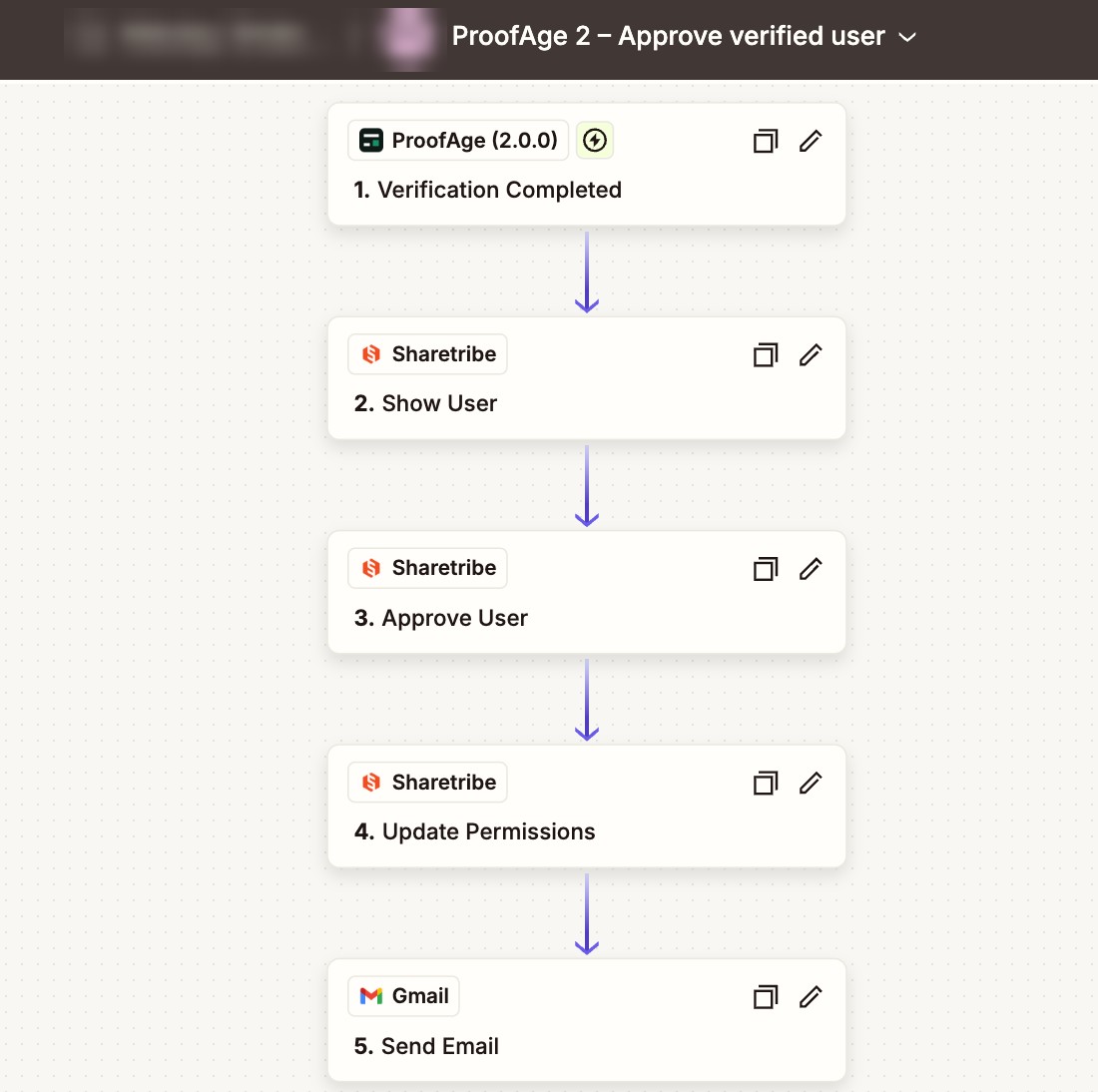
Results reach Zapier as soon as ProofAge decides; Zapier doesn't have to poll for them. Only the first Zap waits, because Zapier checks Sharetribe for new users on a schedule.
What your user sees
The user opens the link from the email. On a phone, the first screen says what's ahead: a photo of their ID, then a selfie. On a computer, they get a QR code to carry on with their phone. When they finish, they land on a page of your marketplace that says the result will arrive by email.
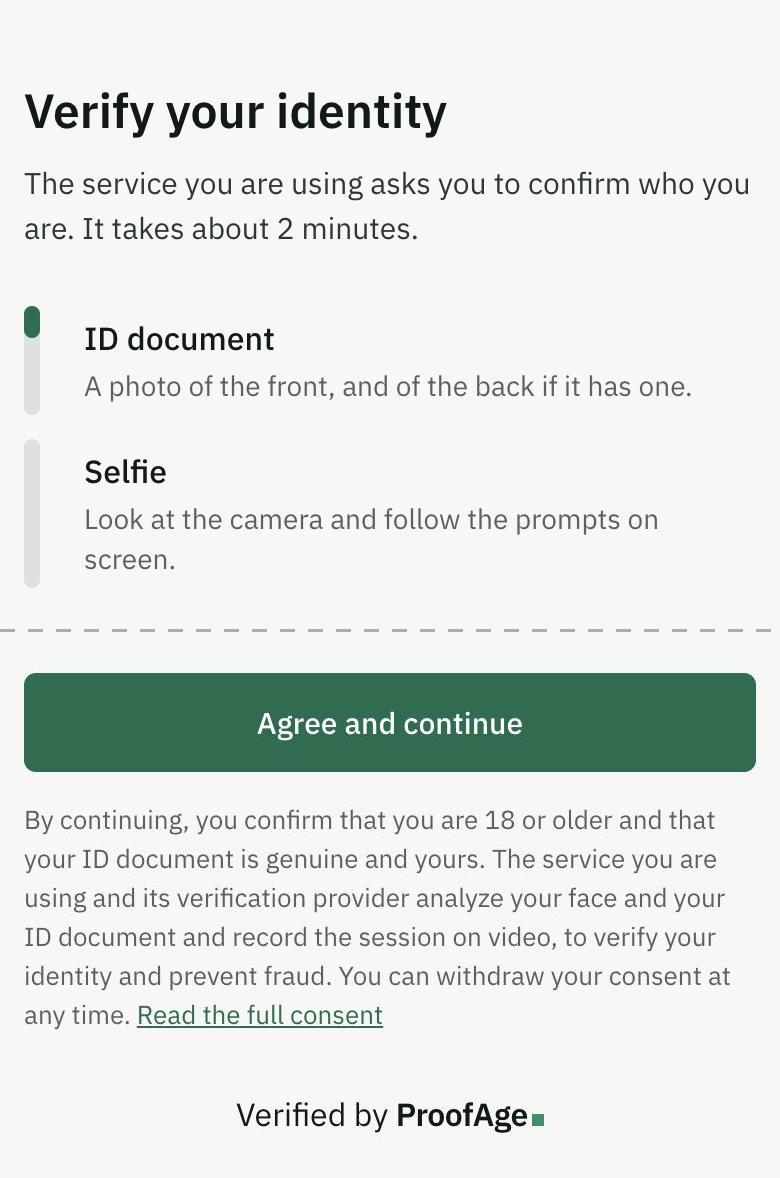
ProofAge checks that the document is genuine, that the selfie matches it and that a live person took it. The result is never shown on the verification screens. Someone trying to get a fake ID through learns nothing from one attempt to the next. They get an email either way.
You never handle the documents yourself. By default Zapier receives only the result and the user's Sharetribe ID, not the name, date of birth or document number.
What changes in Sharetribe
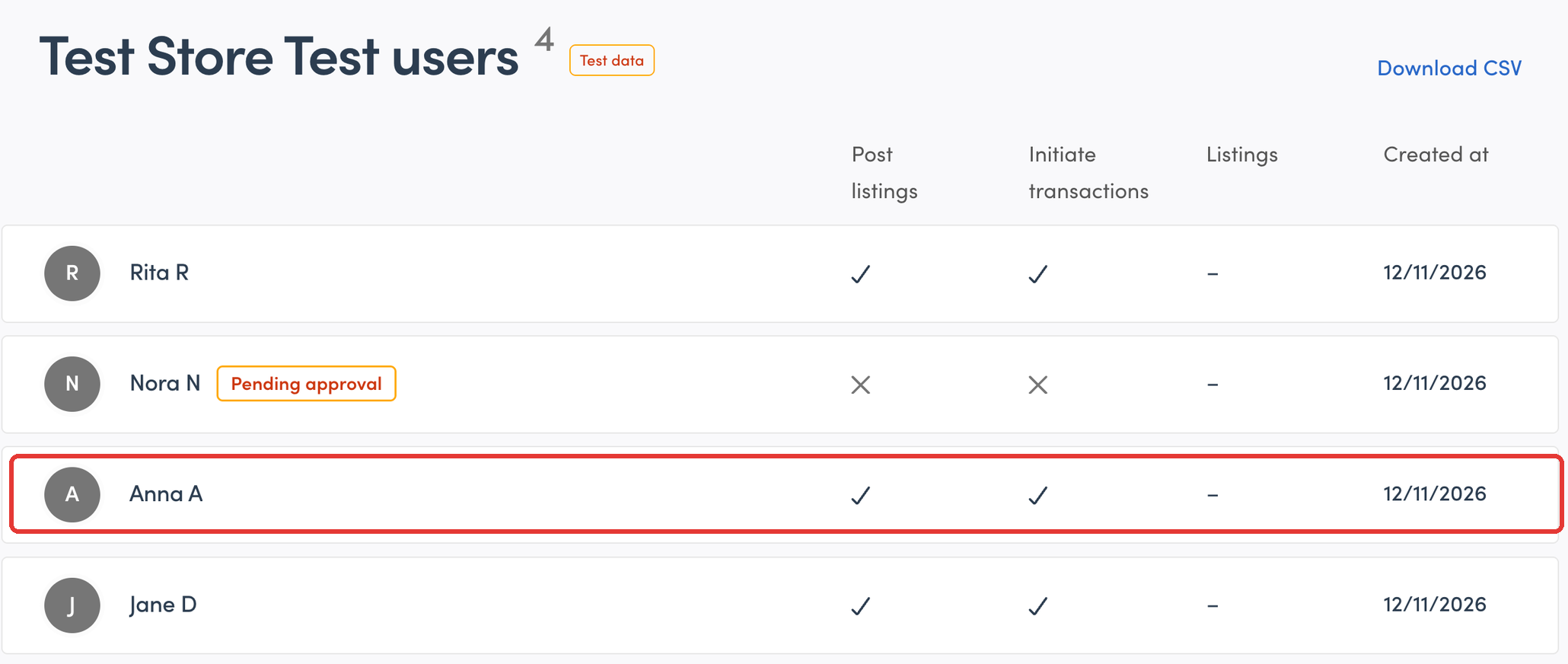
In Sharetribe Console, a new user shows a Pending approval label and crosses under Post listings and Initiate transactions. A few seconds after ProofAge approves them, the label is gone and both columns show a tick. Nobody on your team touched the account.
What it costs
There are two bills.
- Zapier. The Zaps have more than two steps, so they need Zapier's Professional plan. New accounts can try it free for 14 days without a card. Each verified user uses 6 Zapier tasks and each declined user 4.
- ProofAge. New accounts get 500 free verifications. After that, an ID check with a selfie costs $0.30. If you only need to know that users are old enough, a selfie age estimate costs $0.05. Test workspaces are free, so you can run every scenario before you go live.
How long it takes
On our Test marketplace:
- The link email arrived between 9 seconds and about a minute and a half after sign-up. That is one Zapier polling interval, 2 minutes on the Professional plan.
- Access changed and the confirmation email went out 6 to 22 seconds after the verification was approved or declined.
Decide these before you build
- What does an unverified user get? Approval to join keeps them out entirely. Restricting posting or transactions lets them browse first. You can use both.
- Identity or age? One ProofAge workspace checks one thing: identity (an ID and a selfie) or age (an ID, a selfie age estimate, or a digital ID wallet).
- What happens after a decline? A declined verification is final. The guide's decline email invites the user to reply, and you send a new link from the ProofAge console. We don't send new links automatically. Each attempt counts as a verification, and someone turned away for fraud would get unlimited tries.
Three limits to know
- The ProofAge app for Zapier is still invite-only. You add it through a link in the guide, not by searching Zapier.
- The setup checks that a real person with a valid ID passed. It doesn't compare the name on the ID with the name on the Sharetribe profile.
- We tested everything on a Sharetribe Test marketplace. Going live means repeating the connection steps with your Live keys, which the guide lists.
Build it
The step-by-step guide covers the access settings, the two content pages, the three Zaps, how to test every scenario and how to go live. Each step has a screenshot: Identity verification on Sharetribe.
Seller and provider verification for marketplaces
Verify sellers, sitters, tutors and freelancers with ID, selfie and liveness, and keep banned users from coming back with a new account. 500 free verifications.